pics

Joined
Mar 31, 2006
Messages
3,296
Reaction score
1
Location
Shropshire
DSCN0032.jpg


dad10.jpg


Hi

I was looking for the picture thread but couldn't see it.

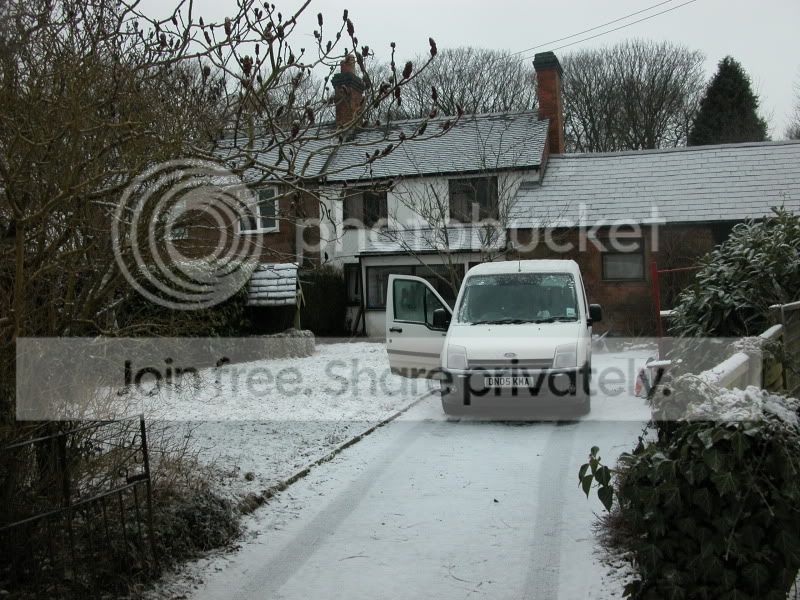
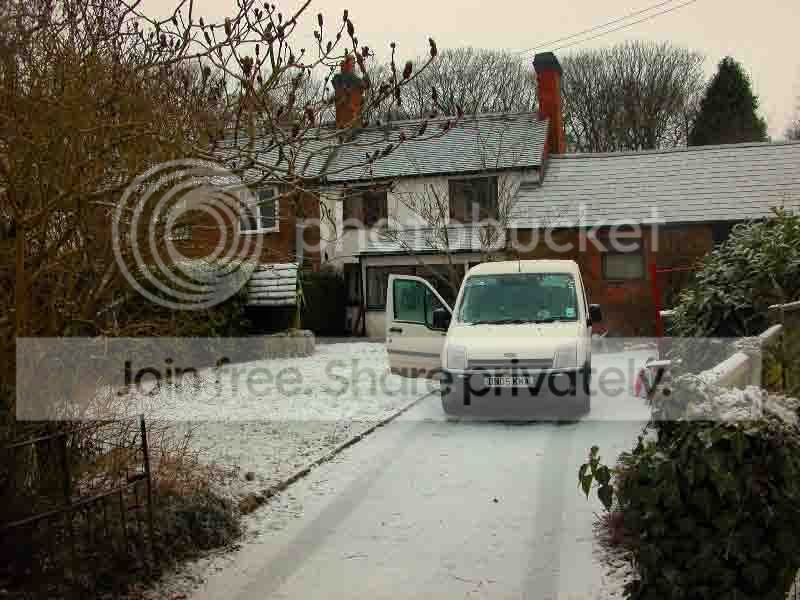
Which do we think looks better version 1 or 2?

I've just obtained a more recent copy of Adobe; having a play. ;)
 
I assume you meant to compare where you'd adjusted white balance/brightness/contrast etc, but it's impossible to compare as No.2 has been horribly compressed.
 
Personal preference is for the first. The second seems a little over saturated to me.

I've never bothered to properly calibrate my monitor, but from here I'd guess the reality is somewhere between the two?
 
Personal preference is for the first. The second seems a little over saturated to me.

I've never bothered to properly calibrate my monitor, but from here I'd guess the reality is somewhere between the two?


Yes, I've got a running disagreement with my Dad.

He likes no 2 but then he always uses too much saturation for me.

I agree, somewhere between the two.
 
Is he viewing through the same monitor as you?

The majority of monitors will display things differently - add to that peoples' own eyesight and opinions, and you're opening a can of worms! :)
 
to improve a lot of pics the simple thing you can do is auto levels (CMD/CTRL+SHIFT+L) and auto balance (CMD/CTRL+SHIFT+B)

The to improve on that and bring out that you can just duplicate layer bring up the levels again (CMD/CTRL+L) and adjust he middle point till you get the right detail in the dark areas then delete parts of that layer as required.

the attached was only a quick example
 

Attachments

  • DSCN0032.jpg
    DSCN0032.jpg
    98.8 KB · Views: 370
Back
Top